IRS Identity Verification: Step-by-Step Guide + Fast Fixes
IRS Identity Verification: What’s Really Going On
Got a letter from the IRS asking you to verify your identity? That doesn’t mean you messed up. It means the IRS wants to make sure you’re actually you so a scammer can’t steal your refund.
Fraudsters have filed fake returns using stolen Social Security numbers. The verification step blocks that. Follow the steps below to get cleared fast.
Bottom line: The IRS isn’t accusing you. They’re double-checking identity before releasing your refund.
How Long Will This Take?
- No IRS.gov account yet: Plan for 20–25 minutes to verify your identity and your tax return.
- Already have an IRS.gov account: With your tax return handy, the whole thing is usually done in 10 minutes or less.
When Will You See This?
This applies when you get a CP-5071 series notice or Letter 5447C from the IRS about verifying your identity/return.
- Have your IRS notice and the tax return for that year handy. If you didn’t file, be prepared to state that.
- Under 18? You may need to contact the IRS directly per the instructions on your notice.
Step 1: Go to the Right Website
- Visit irs.gov/idverify.
- Click Sign In or Create an Account.
- If you already use ID.me for IRS/other agencies, log in. Otherwise, create an account.
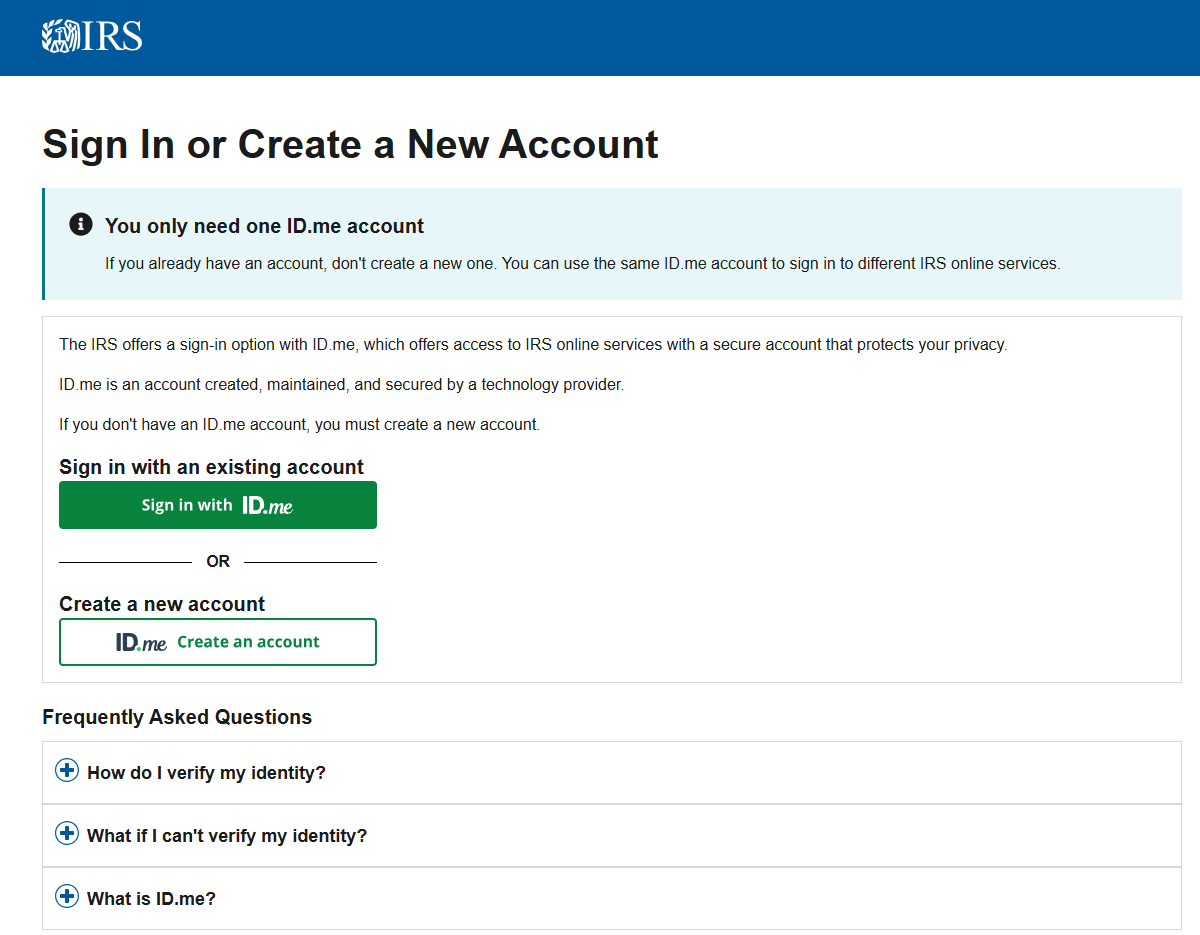 IRS e-service sign-in screenshoot
Step 2: Be Ready for a 20-Minute Setup
Timing matters: If you don’t already have an IRS.gov account, the full setup + verification process takes about 20–25 minutes. If you already have an account and your tax return is handy, expect 10 minutes or less.
The system locks your email and phone to your account. Here’s what happens:
- Email check: You’ll get an email with a link. Click it to prove you own that inbox. No click = no progress.
- Text check: You’ll get a 6-digit code by SMS. Enter it. This ties your phone to your account so nobody can log in without your device.
- Future logins (MFA): Every sign-in needs a fresh code (text or authenticator app). This stops hackers even if they guess your password.
Pro tip: If the confirmation email isn’t there, check spam/junk. These often get filtered.
Step 3: Upload Your ID (Do This to Avoid Browser Errors)
Now you’ll verify with a government ID + selfie. Do it this way to avoid getting stuck:
- Select Self-Service Upload with your driver’s license, state ID, or passport.
- Important (iPhone): If you tap the SMS link in Messages, it opens in your default browser (usually Safari). That often breaks the upload flow and forces you to return to the original setup browser and request a new text. Avoid that loop.
- Real Shortcut: Long-press the SMS link → Copy the full URL → open Google Chrome on your mobile device → paste the link and continue. Chrome is more reliable for the camera/upload steps.
- Lighting hack: Put your ID flat on a dark, non-glare surface with good light. Fewer glare/focus errors = faster approval.
- Full URL hack: If the text link looks cut off, don’t tap—long-press to copy the entire link, then paste into Chrome so you don’t hit a broken URL.
- You’ll take a selfie. The system matches the selfie to your ID photo to confirm it’s you.
Why this matters: Tapping the SMS link can drop you out of the session you started, which usually means requesting a fresh SMS and re-doing steps. Copy → Paste → Chrome keeps the flow intact and saves time.
Step 4: Answer IRS Questions
After your ID is accepted, confirm details from your return:
- Your Adjusted Gross Income (AGI) — line 11 on Form 1040.
- Your refund amount and how you requested it (direct deposit or paper check).
- The 14-digit control number from your IRS letter.
Ignore “Do Not File” on your PDF copy. That’s normal for preparer copies. The IRS uses its own record—not your file.
What the IRS Will Ask You
Once your ID is uploaded, the IRS verification system asks a series of questions about your tax return. Be prepared with these details, and remember: your answers must match exactly what was transmitted to the IRS, not just what’s on a draft or preparer copy.
- Did you already file a tax return?
- Were you due a refund?
- Did you pay someone to prepare your return?
- Did you receive an IRS notice with a 14-digit control number? (You’ll need to enter this code.)
- Adjusted Gross Income (AGI): Located on line 11 of Form 1040. Have the exact dollar amount ready.
Pro tip: The IRS system only recognizes what was actually transmitted electronically. If there’s any mismatch, verification will fail. Always confirm your AGI and other numbers directly from the final filed return.
Members sometimes ask whether they’ll get another letter for a business return. The IRS verifies the individual return only, since business activity (like partnerships or S-Corps) flows through to your personal return.
Step 5: You’re Cleared — Then Wait
Once verified, the IRS processes your return and releases your refund.
- Start checking refund status about 2–3 weeks after verification.
- Processing can take up to ~9 weeks after verification.
Special note if you’re expecting a refund: Even after you complete identity verification, it can take up to 9 weeks for the IRS system to reflect that your verification is complete and remove the hold/tag on your return. Once that internal hold is removed, your return re-enters the normal IRS processing workflow and your refund can be issued.
If You Can’t Complete Verification Online
If automated identity checks fail, follow the instructions in your CP-5071/Letter 5447C. You may be directed to mail documents or call the IRS help line listed on your notice.
Protect Yourself Long-Term
Set up your IRS.gov account. It’s your control center for identity checks, transcripts, and notices:
- Future ID checks: Verify instantly by logging in.
- Mortgages/loans: Download tax return transcripts immediately.
- Income check: Pull your wage & income transcript (all W-2s/1099s reported under your SSN for a year).
- Account: See balances, payments, and IRS notices.
Heads up: IRS transcripts don’t look like a Form 1040. They’re raw data—you’ll need to map lines to familiar return fields.
Disclaimer: Educational only; not tax, legal, or financial advice. For personal guidance, contact your tax advisor.
Related Articles
🛡️ What Is an IP PIN? How This IRS Code Stops Tax Fraud
Category: Identity Protection ? A Secret Code That Protects Your Taxes An IP PIN (Identity Protection Personal Identification Number) is a 6-digit code from the IRS that keeps your tax return safe from scammers. It acts like a secret password that ...
How to Set Up Your IRS.gov Online Account — And Why It Matters
Your IRS Online Account is your personal gateway to federal tax records, balances, and payments — all in one secure place. Why You Should Have an IRS Online Account With an IRS Online Account, you can: Check your balance and view payment history. ...
How to Contact the IRS and What to Expect
Category: Taxes Made Simple → Notices & Collections ?️ IRS Online Tools Before calling, try the IRS self-service portal at IRS.gov. You can: Check refund status View tax transcripts Set up a payment plan Download tax forms or publications ☎️ IRS ...
📄 IRS Notice CP81 – File Now or Forfeit Your Refund
Updated: July 17, 2025 ? Notice CP81 means the IRS has record of a refund or credit for the tax year shown, but they haven't received your return. The deadline to file is fast approaching—act now to claim your money. ? Why This Matters The IRS ...
IRS Refund Offsets: Why Your Tax Refund May Be Reduced or Taken
Understanding Refund Offsets: When Your Tax Refund Gets Taken When you file your federal return, you expect a refund. But sometimes the government applies that refund toward debts you owe instead. That’s called a refund offset. This guide explains ...